

Badges
The badges a member has earned, from myCred.
Before you start
Section titled “Before you start”| Plugins | myCred and Ultimate Member - myCred. Both are required |
| Endpoint group | Badges |
| Plan | Every plan |
Either plugin missing leaves the feature card greyed out. The card names whichever one it cannot find.
Add it to your app
Section titled “Add it to your app”Drag Badges onto a navigation bar or into the side drawer.
Badges also appear as a tab on the Profile screen without being placed, so this feature is a direct route rather than the only one.
Settings
Section titled “Settings”| Setting | What it does | Default |
|---|---|---|
| Scope | Show only earned badges, or every badge | Earned |
| Columns | How many badges sit in a row: Auto, or a fixed 1 to 6 | Auto |
| Title, Description | Shown at the top | Empty |
| Restrictions | Which roles see the tab | Everyone |
Earned shows what the member has. All shows every badge on your site, with the member’s earned ones marked.
Showing all badges turns the screen into something to work towards rather than a record of the past. It is the better choice in a community that uses badges to drive participation, and the worse one if you have a hundred badges nobody will ever see the point of.
Columns
Section titled “Columns”Auto fits as many badges in a row as the screen has room for, each at its own size, so a tablet shows more per row than a phone. A number fixes the row instead: every phone shows that many, and each badge’s artwork scales to fill its column. At 6 a badge is a little over 50 points wide on a phone, so pick a lower number when the artwork has detail.
The Badges tab on the Profile screen uses the same setting, from the Badges feature you placed. Without one placed, the profile tab uses Auto.
What your members see
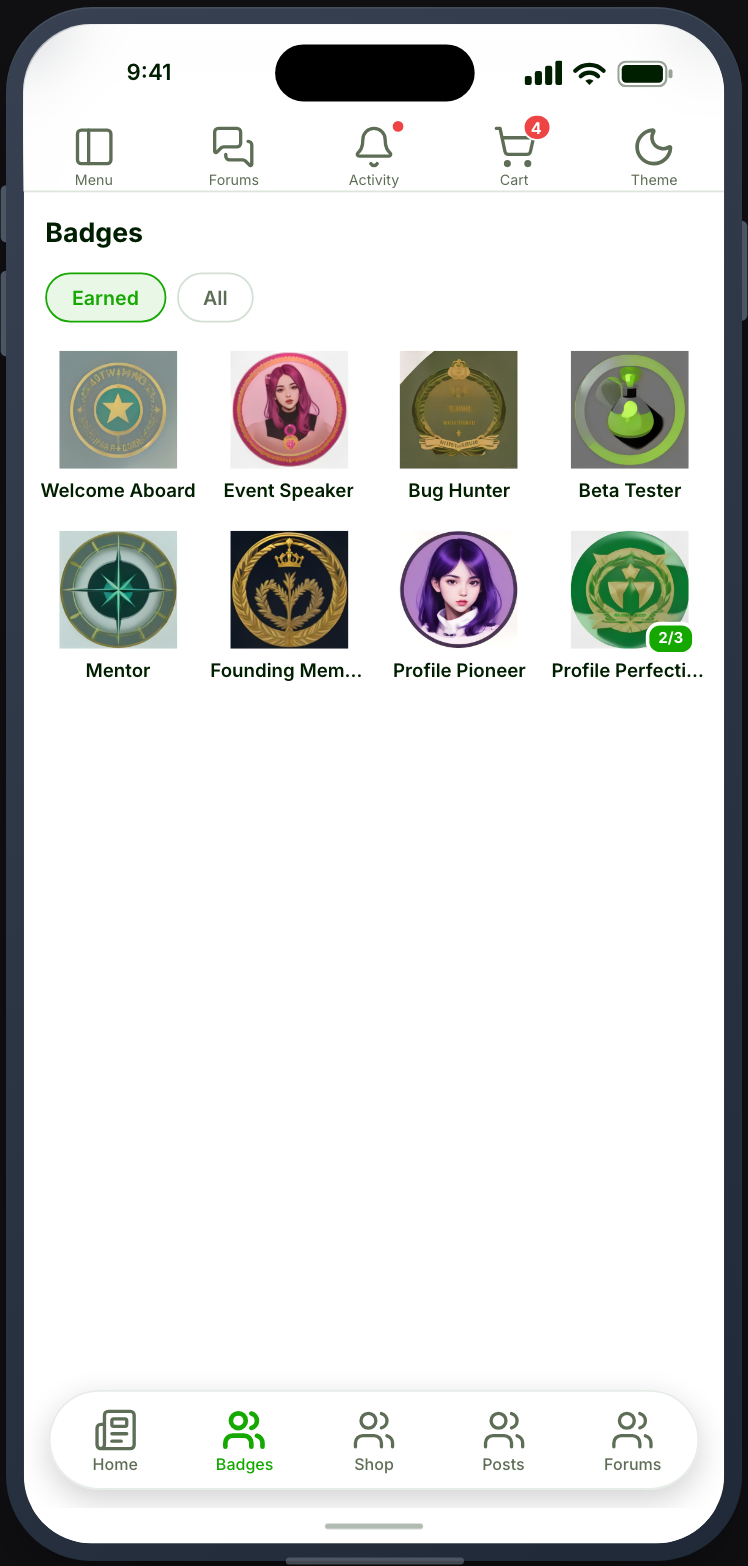
Section titled “What your members see”Their badges with artwork and names. Badges with levels show which level the member has reached.
Points are a separate screen
Section titled “Points are a separate screen”Badges are here. Balances, transfers and referrals are the My Points account tab inside Settings — see My Points.
Both come from myCred and they need different things: My Points needs only Ultimate Member - myCred, while Badges needs myCred as well.
When it does not work
Section titled “When it does not work”| Symptom | Cause | Fix |
|---|---|---|
| The card is greyed out | One of the two plugins is inactive | Activate both |
| The screen is empty | The Badges group is off | Enable it |
| Empty with badges earned | Scope is set to earned and they have none yet | Set scope to all |
| Artwork is missing | The badge has no image in myCred | Add one there |
| Levels are not shown | The badge has no levels configured | Configure them in myCred |
| Points are missing | Points are the My Points account tab | See My Points |
| The profile Badges tab ignores Columns | The Badges feature is not placed, so the tab has no setting to follow | Place Badges |
| Badge artwork is small and hard to read | Columns is set high for a phone | Lower it, or use Auto |