

Create Album
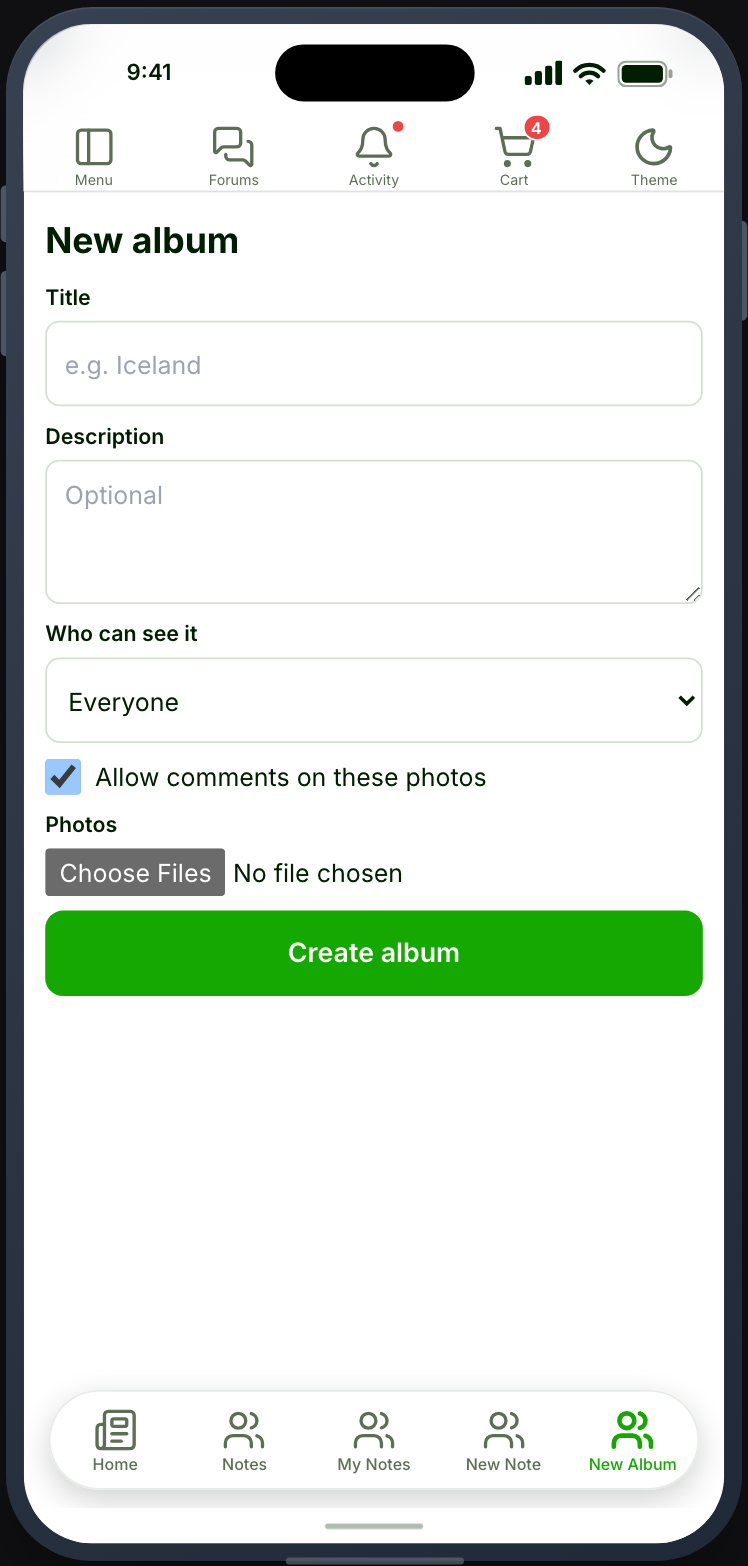
A form that takes a title, a privacy choice and the first upload, then opens the new album.
Before you start
Section titled “Before you start”| Plugin | Ultimate Member - User Photos |
| Endpoint group | Photos |
| Plan | Every plan |
Add it to your app
Section titled “Add it to your app”Drag Create Album onto a navigation bar or into the side drawer.
Members can already create an album from My Photos. Place this one when adding photos is a main thing people come to the app to do, and you want it a tap away rather than two.
Settings
Section titled “Settings”| Setting | What it does | Default |
|---|---|---|
| Title, Description | Shown at the top | Empty |
| Restrictions | Which roles see the tab | Everyone |
The form has no list to configure, so it has no settings of its own.
What your members see
Section titled “What your members see”A title field, a privacy choice, and the first upload. Submitting creates the album and opens it, so the next photos go straight in.
The privacy options are the ones your site defines in Ultimate Member. The app offers no privacy level of its own.
Videos
Section titled “Videos”With Video connected and switched on for Ultimate Member - User Photos, Add video sits next to the photo picker. Members record a clip or choose one, then drag through the whole video to pick its thumbnail. Change thumbnail reopens that choice until the album is created. An album can take several videos, each uploading as soon as it is picked, and Create album waits for the last one.
Videos count toward your photo limits in Ultimate Member, one item each.
The album is created straight away. By default each video then waits until it can play: its author sees it in the album as a Processing tile with Cancel, nobody else sees it, and it joins the album when it is ready. The author is notified, and the notification opens the album. See Hold or post instantly.
Videos are added when an album is created, never afterwards — see My Photos.
When it does not work
Section titled “When it does not work”| Symptom | Cause | Fix |
|---|---|---|
| The card is greyed out | Ultimate Member - User Photos is inactive | Activate it |
| Submitting is refused | Their role cannot create albums | Check the role’s permissions in Ultimate Member |
| Submitting is refused after several albums | The site’s album limit is reached | Raise it in Ultimate Member |
| The privacy list is short | Those are the levels your site defines | Add more in Ultimate Member |
| No Add video button | Video is not connected, Ultimate Member - User Photos is off in the Video panel, or the app was built before video reached albums | Connect it and switch the plugin on in Memberside → Services → Video; rebuild the app |
| A video is refused | It is over the site’s photo limit, or over your video length or size limit | The message names which; raise the limit or pick a shorter clip |
| The tab is invisible to members | A role restriction on the tab | Check the tab’s restrictions |