

Product Cart
The member’s cart, and the route to checkout.
Before you start
Section titled “Before you start”| Plugin | WooCommerce |
| Endpoint groups | Cart, Products |
| Plan | Every plan |
Place Products as well. A cart with no catalogue has nothing to fill it.
Add it to your app
Section titled “Add it to your app”Drag Product Cart onto a navigation bar. The top-right of the upper or top nav is where members look for a cart.
Settings
Section titled “Settings”| Setting | What it does | Default |
|---|---|---|
| Title, Description | Shown at the top | Empty |
| Restrictions | Which roles see the tab | Everyone |
What your members see
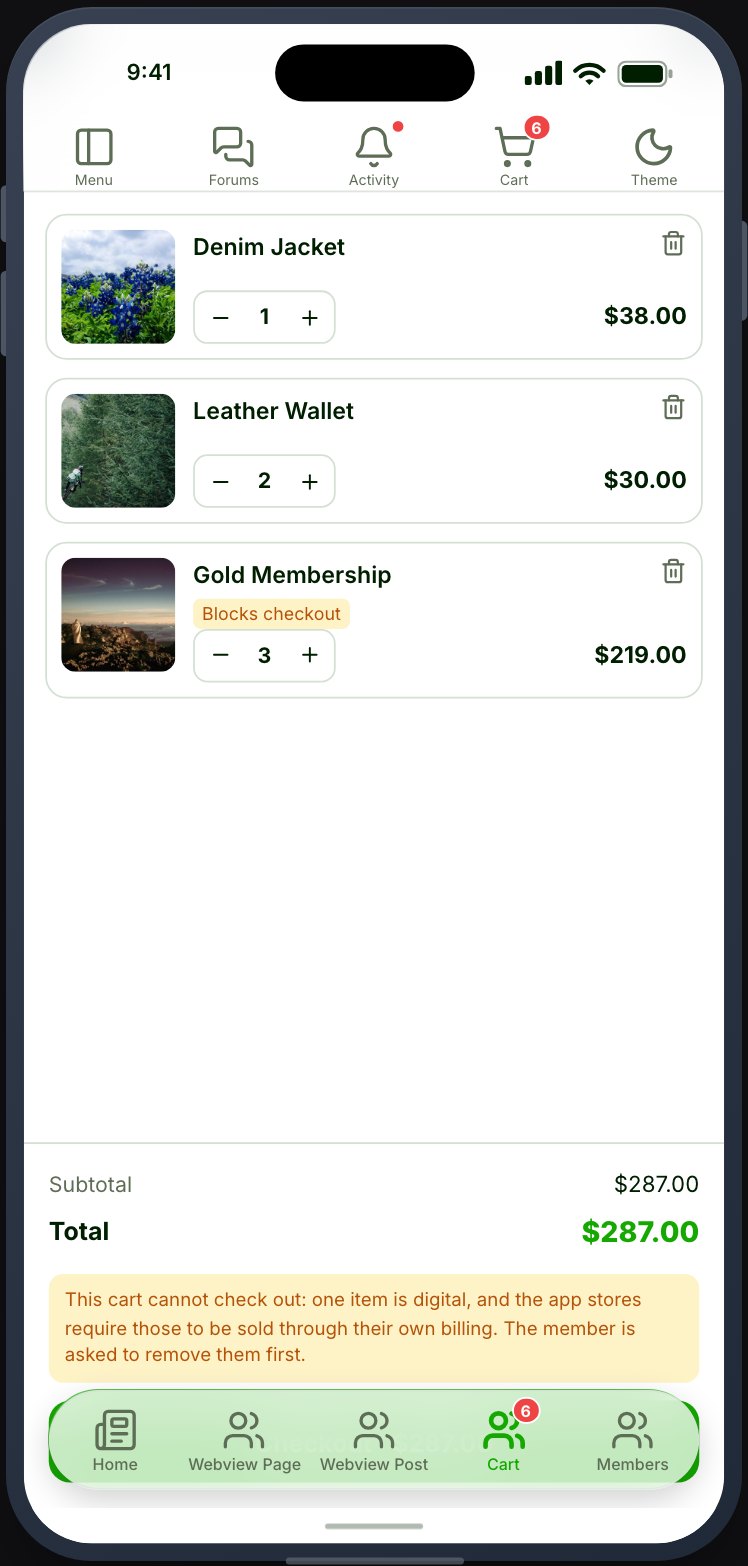
Section titled “What your members see”The items in their cart with quantities and totals, and a checkout action.
The nav item carries an item-count badge, so members can see they have something waiting without opening the tab.
Sign-in is required
Section titled “Sign-in is required”Unlike the catalogue, the cart belongs to somebody. A signed-out visitor gets an empty cart.
Place a sign-in feature somewhere reachable, or members who add something while signed out will find nothing there.
Checkout is a webview
Section titled “Checkout is a webview”Checkout opens your own store’s checkout in a webview, using your gateway. The member’s session carries across, so they are not asked to sign in again.
This is the right split: card details never touch Memberside, and any gateway-specific flow behaves exactly as it does on your website.
After buying, orders and downloads appear in the account area — see Payment methods and orders.
When it does not work
Section titled “When it does not work”| Symptom | Cause | Fix |
|---|---|---|
| The cart is always empty | The member is signed out | Place a sign-in feature |
| Adding to cart fails | The Cart group is off | Enable it |
| No item-count badge | The Cart group is partly enabled | Enable the whole group |
| Checkout asks for sign-in | The session did not carry | Confirm your site serves over HTTPS |
| A coupon will not apply | Coupon handling is on your store | Test it on the website |
| Totals differ from the web | Shipping or tax is calculated at checkout | Expected |
Digital products
Section titled “Digital products”Apple and Google both require memberships, subscriptions, courses and downloads to be sold through their own billing, and this screen checks out on your own site. By default those products are hidden in the app; your website is unaffected. See Selling digital products in your app.