

Friend Requests (BuddyPress)
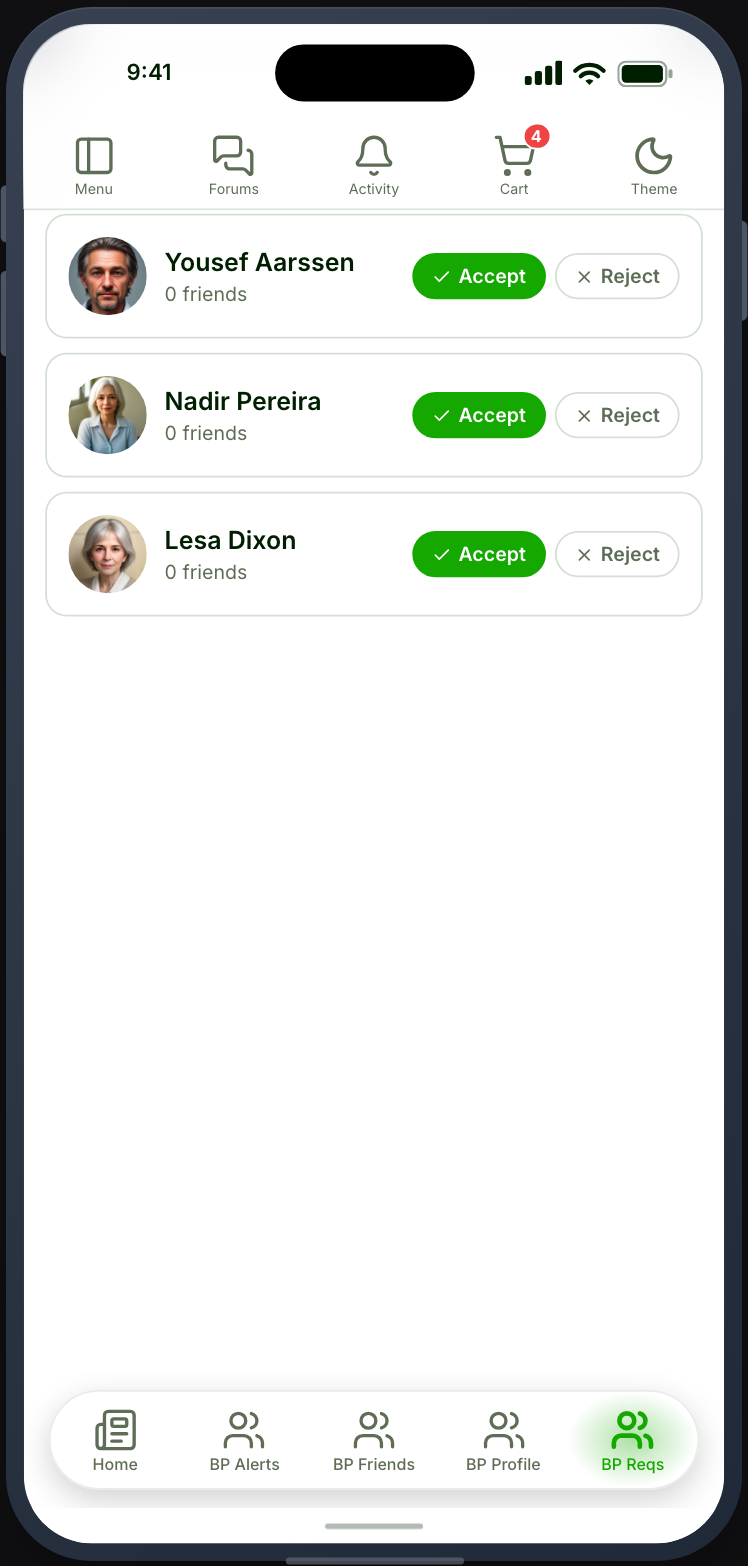
The requests waiting on a member, as a screen of its own.
Before you start
Section titled “Before you start”| Plugin | BuddyPress, with the Friend Connections component enabled — or BuddyBoss Platform, where it is called Member Connections |
| Endpoint group | BuddyPress Friends, and BuddyPress Members for the people on it |
| Plan | Every plan |
BuddyPress ships Friend Connections switched off. Turn it on under Settings → BuddyPress → Components, or the card stays greyed out.
Add it to your app
Section titled “Add it to your app”Drag Friend Requests — the card whose subtitle reads BuddyPress — onto a navigation bar or into the side drawer.
You do not need it. Friends (BuddyPress) already shows requests alongside the friends list, and for most sites that is enough. Place this one when requests deserve their own tab — a site where answering them is a frequent job rather than an occasional one.
Settings
Section titled “Settings”| Setting | What it does | Default |
|---|---|---|
| Title, Description | Shown at the top | Empty |
| Open member profiles in | Which Profile feature a tap on a member’s photo or name opens, or Don’t link. Lists every placed Profile, plus Member Profile (BuddyPress) | The first Profile placed |
| Restrictions | Which roles see the tab | Everyone |
The sorting and search options belong to the friends list, which this screen is not.
What your members see
Section titled “What your members see”Incoming requests, each with accept and reject, and the requests they have sent and can still take back. The buttons follow the state of the connection, so a request already answered elsewhere shows its result rather than a control that would fail.
Answering one raises a notification for the other member.
When it does not work
Section titled “When it does not work”| Symptom | Cause | Fix |
|---|---|---|
| The card is greyed out | Friend Connections is off | Enable the component |
| The list is empty | Nobody has sent a request | Expected |
| Names are missing | The BuddyPress Members group is off | Enable it |
| Two request screens | Both this and the Friends tab are placed | Expected — remove one if it reads as duplication |
| Tapping a member’s photo does nothing | No Profile feature is placed, or the setting is Don’t link | Place a Profile feature, or pick one in the setting |