

Notes
Notes the member can read, without editing controls.
Before you start
Section titled “Before you start”| Plugin | Ultimate Member - User Notes |
| Endpoint group | Notes |
| Plan | Every plan |
Add it to your app
Section titled “Add it to your app”Drag Notes onto a navigation bar or into the side drawer.
If you want members to write notes too, place My Notes and Create Note instead — or all three under a Parent Menu.
Settings
Section titled “Settings”| Setting | What it does | Default |
|---|---|---|
| Title, Description | Shown at the top | Empty |
| Restrictions | Which roles see the tab | Everyone |
What your members see
Section titled “What your members see”A read-only list of the notes visible to them. Which notes those are depends on the privacy each note carries and the rules your site applies.
A link in a note opens the matching screen in your app, or the in-app browser — see Links in posts.
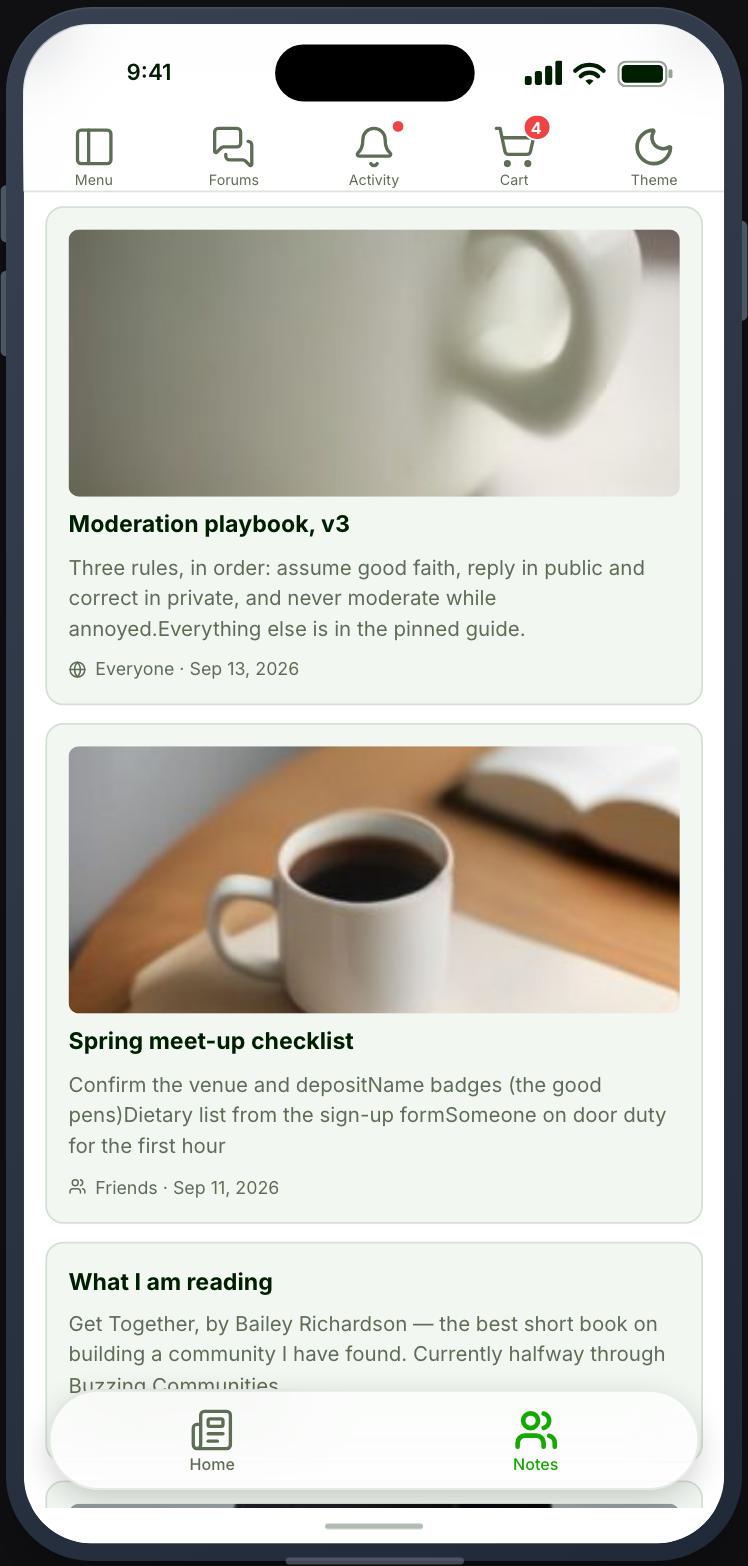
Notes or My Notes
Section titled “Notes or My Notes”| Notes | My Notes | |
|---|---|---|
| Shows | Notes visible to the member | The member’s own notes |
| Editing | No | Yes, with delete |
| New note button | No | Yes |
Place Notes for a community where notes are published to be read. Place My Notes for one where each member keeps their own.
Privacy comes from your site
Section titled “Privacy comes from your site”Note visibility is enforced by the plugin on your site, not by the app. A note a member cannot see on the web is not returned to the app either.
If a member sees a note you did not expect, check the note’s privacy in Ultimate Member rather than the app’s configuration.
When it does not work
Section titled “When it does not work”| Symptom | Cause | Fix |
|---|---|---|
| The list is empty | The Notes group is off, or nothing is visible to them | Check both |
| The card is greyed out | UM - User Notes is inactive | Activate it |
| Members cannot edit | This screen is read-only by design | Place My Notes |
| A note is missing | Its privacy excludes them | Check it in Ultimate Member |