

Bookmarks
The posts, pages, jobs and members a member has saved, organised into the folders they made.
Before you start
Section titled “Before you start”| Plugin | Ultimate Member - User Bookmarks |
| Endpoint groups | Bookmarks, Content |
| Plan | Every plan |
Bookmarks needs Content as well as its own group, because a saved post is read through the content endpoints like any other post.
Add it to your app
Section titled “Add it to your app”Drag Bookmarks onto a navigation bar or into the side drawer.
The save control itself appears on Posts, Single Post, Products, the Job screen and the Directory once the Bookmarks group is on. This screen is where saved things are read back.
Saving jobs also needs a site setting. In Ultimate Member → Settings → Extensions → User Bookmarks, add Jobs to Enable bookmark. Until you do, the Job screen draws no Save button.
Settings
Section titled “Settings”| Setting | What it does | Default |
|---|---|---|
| Title, Description | Shown at the top | Empty |
| Opens on | Which sub-list shows first: Folders, All bookmarks, or Saved members | Folders |
| Folders | Show the Folders sub-tab and the New Folder button | On |
| Saved members sub-tab | Show saved members alongside saved posts | On |
| Search | A search field over the flat list of everything saved | On |
| Layout | List or Grid | List |
| Columns | 1 to 3 tiles across, when Layout is Grid | 2 |
| Let members manage | Create, rename and delete folders, and remove saved items | On |
| Items per page | How many load at a time as the list scrolls, 5 to 50 | 20 |
| Restrictions | Which roles see the tab | Everyone |
Opens on falls back to All when the sub-list you chose is switched off on your site.
Folders cannot create what your site does not have. A site that disables folders in Ultimate Member shows one flat list whatever this is set to.
The saved members sub-tab needs a site switch
Section titled “The saved members sub-tab needs a site switch”Enable bookmarks for profiles in Ultimate Member is off by default. With it off, the saved members sub-tab has nothing to show and the screen explains why rather than rendering an empty list.
If you want saved members as a screen of their own instead of a sub-tab, place Saved Members.
What your members see
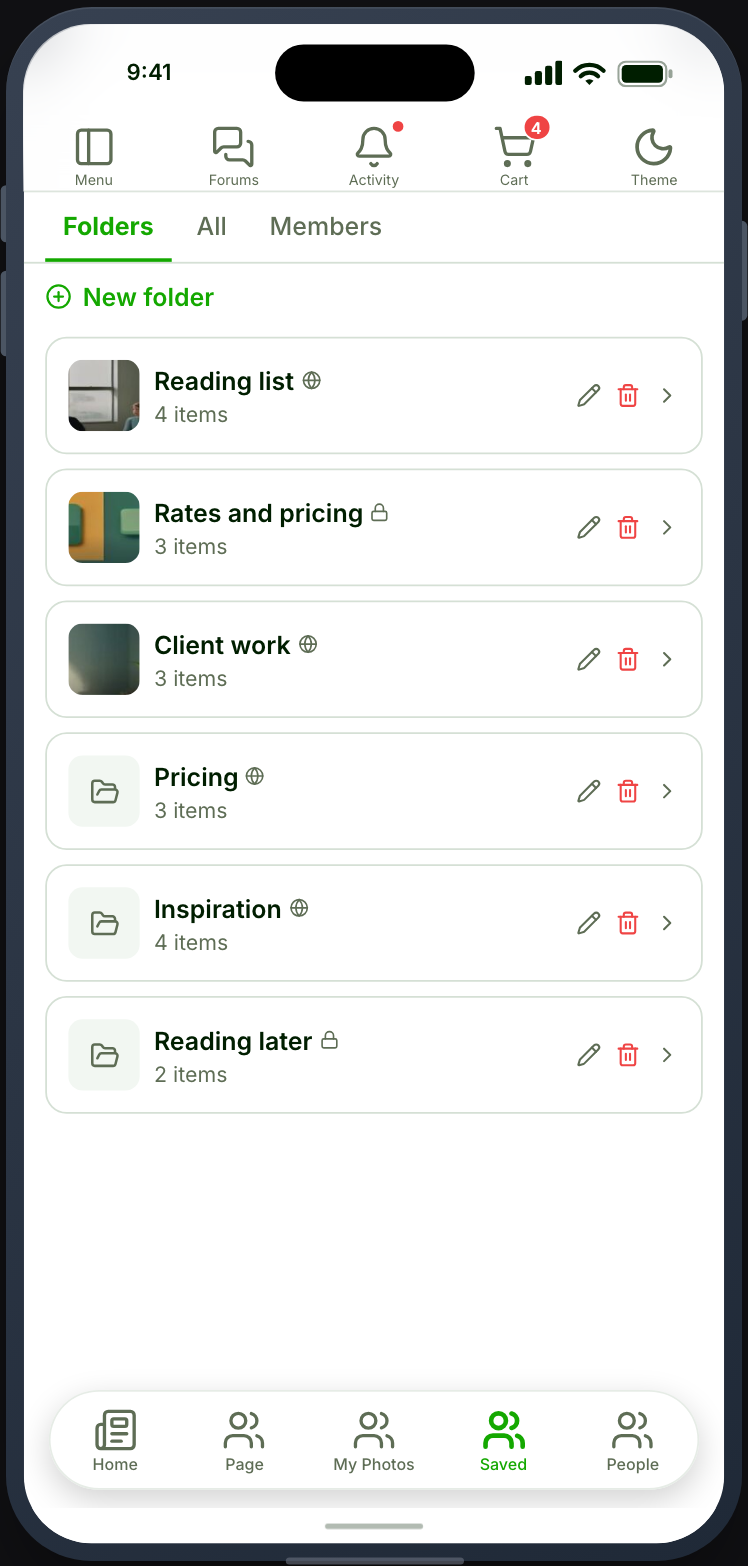
Section titled “What your members see”Folders first, or whichever list you chose. Searching filters across everything saved rather than within the current folder. With Let members manage on they can make a folder, rename it, delete it, and remove anything they saved.
Tapping a saved item opens it in the app. A saved job opens the Job screen, a saved post opens Single Post, and a saved page opens Single Page. Anything else opens in the browser.
A filled or expired job that JobBoardWP hides from its board is left out of the saved list and the folder counts too.
When it does not work
Section titled “When it does not work”| Symptom | Cause | Fix |
|---|---|---|
| The screen is empty | The Bookmarks group is off | Enable the endpoints you need |
| Saved posts show no title or image | The Content group is off | Enable it too |
| No folders, with Folders on | Folders are disabled on your site | Enable them in Ultimate Member |
| The saved members sub-tab explains itself instead of listing | Enable bookmarks for profiles is off | Switch it on in Ultimate Member |
| No Save button on a job | Jobs is not ticked in Enable bookmark | Add it in Ultimate Member → Settings → Extensions → User Bookmarks |
| A saved job is missing from the list | It is filled or expired, and JobBoardWP hides those | Working as intended |
| Nothing can be saved anywhere in the app | The Bookmarks group is off, so no save control renders | Enable it |
| The screen opens on the wrong list | That list is switched off, so it fell back to All | Enable it, or change Opens on |