

Friends (BuddyPress)
Who your members are connected to.
Before you start
Section titled “Before you start”| Plugin | BuddyPress, with the Friend Connections component enabled — or BuddyBoss Platform, where it is called Member Connections |
| Endpoint group | BuddyPress Friends |
| Plan | Every plan |
BuddyPress ships Friend Connections switched off. Turn it on under Settings → BuddyPress → Components, or the cards stay greyed out.
It also makes group invitations work
Section titled “It also makes group invitations work”BuddyPress builds a group’s invite list from a member’s friends. Until Friend Connections is on and members are connected, the invite screen on Groups (BuddyPress) has nobody in it — however many members the site has. This is the feature that fixes that.
What members can do
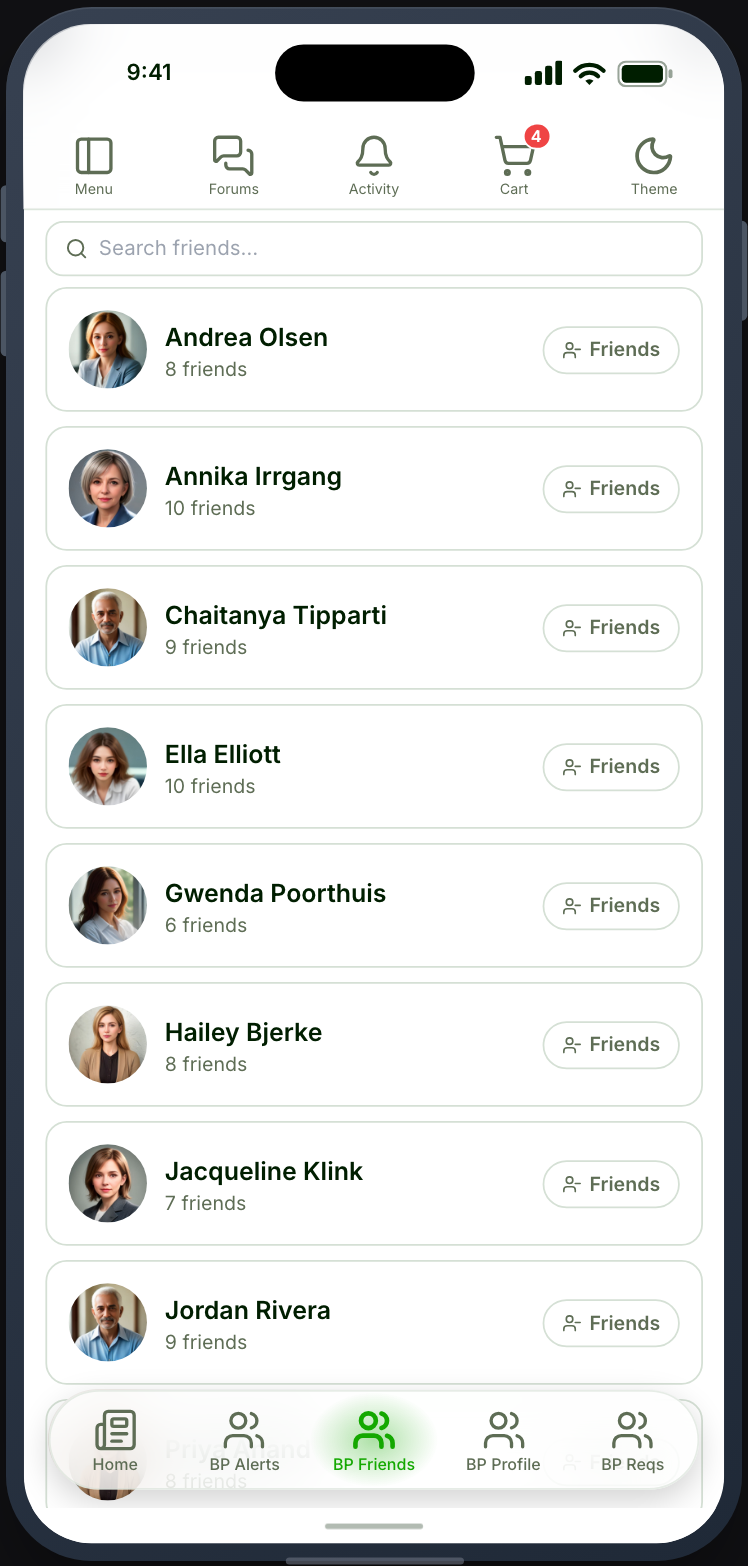
Section titled “What members can do”A member sees their friends, and the requests waiting on them. From any list they can send a request, take one back, accept or reject one, or end a friendship — whichever of those BuddyPress currently allows, since the button follows the state of the connection.
Requests raise a notification and a push, and tapping either opens the requester’s profile.
Settings
Section titled “Settings”Sort by — alphabetical, recently active, or newest friendships.
Search box — let members search their friends by name.
Open member profiles in — which Profile feature a tap on a member’s photo or name opens. Every placed Profile is offered, plus Member Profile (BuddyPress), and Don’t link draws the name as plain text. Left alone it follows the first Profile you placed; see Tab settings.
A note on ordering
Section titled “A note on ordering”Alphabetical is the default, and deliberately not BuddyPress’s own. BuddyPress orders by “recently active” using its own activity record, and leaves out members it has never recorded as active — which on a new or recently migrated site can mean real friends do not appear. Alphabetical always lists everyone. If you choose one of the other orderings, the screen says how many friends it could not place rather than quietly showing a short list.
Not the same as Ultimate Member friends
Section titled “Not the same as Ultimate Member friends”BuddyPress friendships and Friends (Ultimate Member) are separate systems with separate data. A site can run both, and placing both shows your members two unrelated sets of connections.