

Saved Members
The members this member has saved, listed on their own screen.
Before you start
Section titled “Before you start”| Plugin | Ultimate Member - User Bookmarks |
| Endpoint group | Bookmarks |
| Plan | Every plan |
| Also needs | Enable bookmarks for profiles in Ultimate Member, which is off by default |
Add it to your app
Section titled “Add it to your app”Drag Saved Members onto a navigation bar or into the side drawer.
It is a separate feature from Bookmarks rather than a mode of it, because saving members is a separate switch on your site — a community can want saved members without the saved-posts screen, or the reverse.
Settings
Section titled “Settings”| Setting | What it does | Default |
|---|---|---|
| Title, Description | Shown at the top | Empty |
| Let members manage | Remove members they have saved | On |
| Items per page | How many load at a time as the list scrolls, 5 to 50 | 20 |
| Restrictions | Which roles see the tab | Everyone |
The site switch that decides whether this works
Section titled “The site switch that decides whether this works”Enable bookmarks for profiles in Ultimate Member is off out of the box. Until it is on, no member can be saved anywhere in the app, so this screen has nothing to list. It says so rather than showing an empty list.
Turn it on before placing this feature, or the first thing you see is the explanation.
What your members see
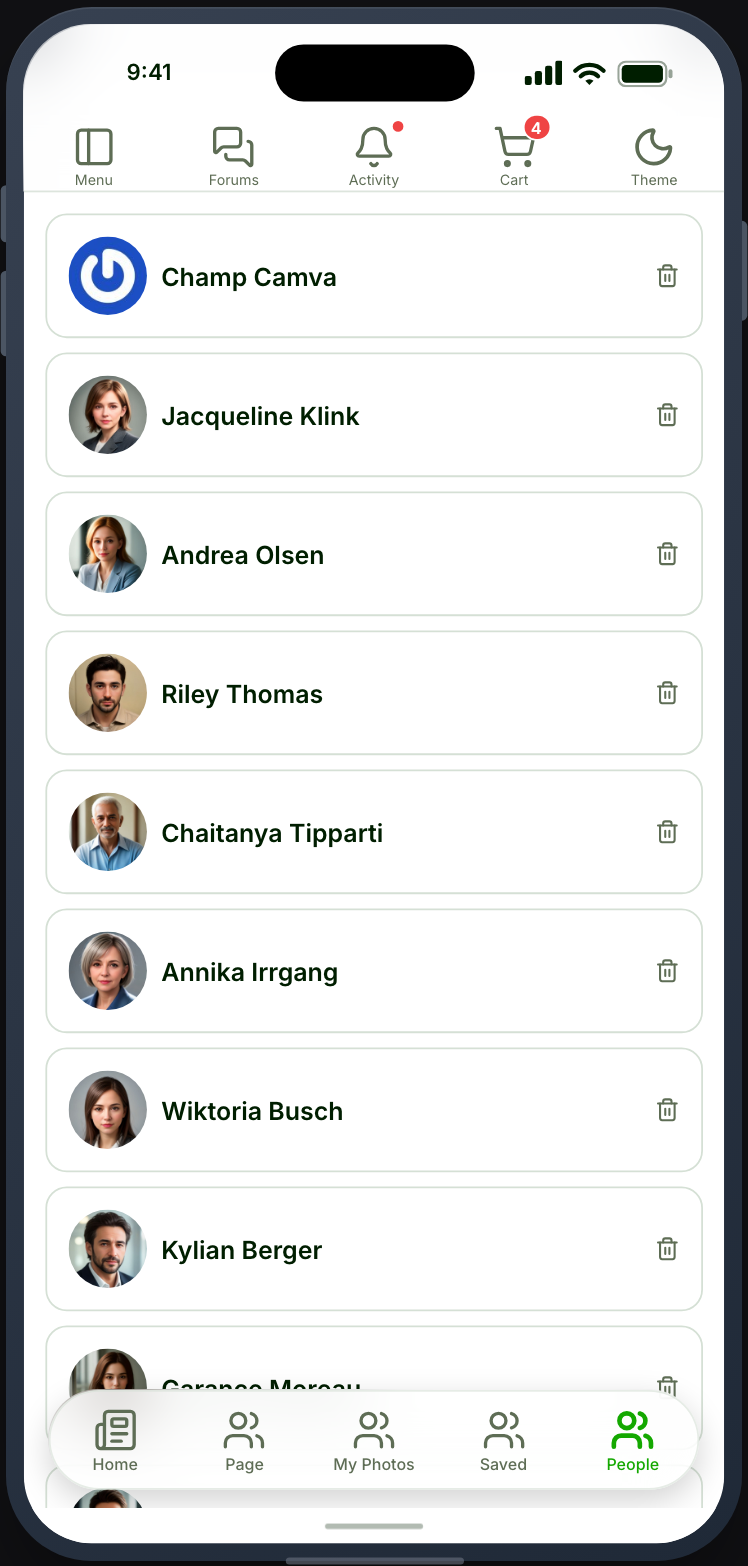
Section titled “What your members see”A list of the members they saved, each opening that member’s Profile. With Let members manage on they can remove one from the list.
The save control itself is on the profile and in the Directory, once the Bookmarks group is enabled.
When it does not work
Section titled “When it does not work”| Symptom | Cause | Fix |
|---|---|---|
| The screen explains itself instead of listing | Enable bookmarks for profiles is off | Switch it on in Ultimate Member |
| The screen is empty | The Bookmarks group is off | Enable the endpoints you need |
| No save control on profiles | The Bookmarks group is off, or the site switch is | Check both |
| The card is greyed out | Ultimate Member - User Bookmarks is inactive | Activate it |
| Members cannot remove anyone | Let members manage is off | Turn it on |