

Profile (BuddyPress)
A member’s BuddyPress profile, and the form for editing their own.
Before you start
Section titled “Before you start”| Plugin | BuddyPress, with the Extended Profiles component enabled — or BuddyBoss Platform, where it is called Profile Fields |
| Endpoint group | BuddyPress Profile (and BuddyPress Members for the header) |
| Plan | Every plan |
The fields, their order and their groups are whatever you have set up under Users → Profile Fields in BuddyPress. The app renders them; it does not define them.
Field types
Section titled “Field types”All fourteen types BuddyPress registers are supported: text, multi-line text, number, web address, telephone, date, dropdown, multi-select, radio, checkbox, checkbox acceptance, and the two WordPress-backed types. A location field added by Memberside renders too.
Who can see what
Section titled “Who can see what”Every field carries a BuddyPress visibility level — everyone, members, friends, or only admins. The app never shows a field to somebody who may not see it: that is decided on your site, per viewer, and a field they are not entitled to is not sent at all.
Where BuddyPress lets a member choose for themselves, Let members choose who sees each field offers that control while they edit. Fields whose visibility you have fixed are left alone.
Conditional fields
Section titled “Conditional fields”A field can be set to appear only when another field answers a certain way — the same show/hide rules Ultimate Member forms use. The form reacts as the member types, and the rules are checked again when they save, so a field that is not being asked cannot be answered.
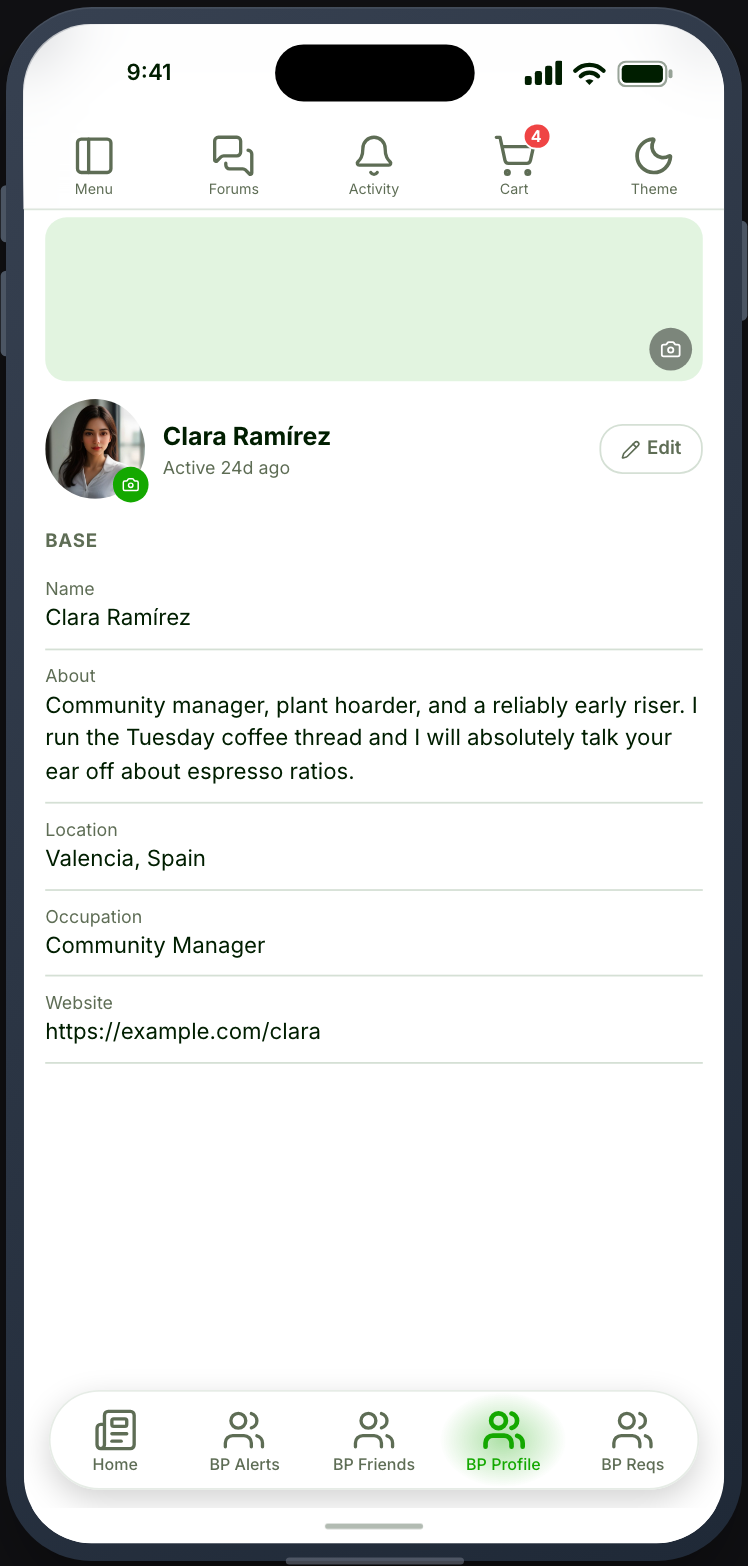
Settings
Section titled “Settings”Cover image — show the member’s BuddyPress cover image above their profile.
Let members edit their profile — show an Edit button on their own profile.
Let members choose who sees each field — offer the per-field privacy control while editing.
Header details — which xProfile fields appear under the member’s name, in the order you choose. Each can carry an icon and show or hide its label, and they either share a line or take one each. The values are the ones the profile already shows this viewer, so a field they may not see never appears in the header either.
Member actions — a profile that is not your own can offer Friend and Message. Each needs its BuddyPress component switched on (Friends, Messages), and Message also needs a Chat feature in the app for the conversation to open into. Friend shows where the friendship stands: Requested when you have asked, Accept when they have.
BuddyPress has no follow and no block list, so those two actions do not appear on a BuddyPress profile at all — they belong to Ultimate Member.
Photos
Section titled “Photos”Members can replace their own profile photo and cover image from the header. The pen on each image spins while the upload is in flight and the picture it is replacing fades, so a slow connection looks like progress rather than a tap that did nothing.
BuddyPress keeps its own avatar store, separate from Ultimate Member’s, so changing one leaves the other alone.
Cover images are a BuddyPress component feature, and a site can run Members with them switched off. When that is the case the app says so plainly rather than blaming the image.
Repeating field sets on BuddyBoss
Section titled “Repeating field sets on BuddyBoss”BuddyBoss lets a profile group repeat — Employment, Qualifications — so a member can add as many entries as they have. The app shows each entry a member has filled in, and they edit them in place.
What it does not show is the blank template the set is copied from. BuddyBoss keeps one hidden field as the pattern for every new entry, and it is not a question anybody is meant to answer — a member seeing it would find one more empty box than they had entries, and filling it would change the pattern rather than add an entry.
Adding and removing whole entries is done on your site for now; the app edits the ones that are there.