

Notification Settings (BuddyPress)
Members choose which emails BuddyPress sends them.
Before you start
Section titled “Before you start”| Plugin | BuddyPress, with the Account Settings component enabled — or BuddyBoss Platform, which has the same component |
| Endpoint group | BuddyPress Settings |
| Plan | Every plan |
What this is, and is not
Section titled “What this is, and is not”This is not a second account screen. Email address, password, data export and account deletion all act on the same WordPress user that Settings already edits — having two screens change one password would only invite them to disagree.
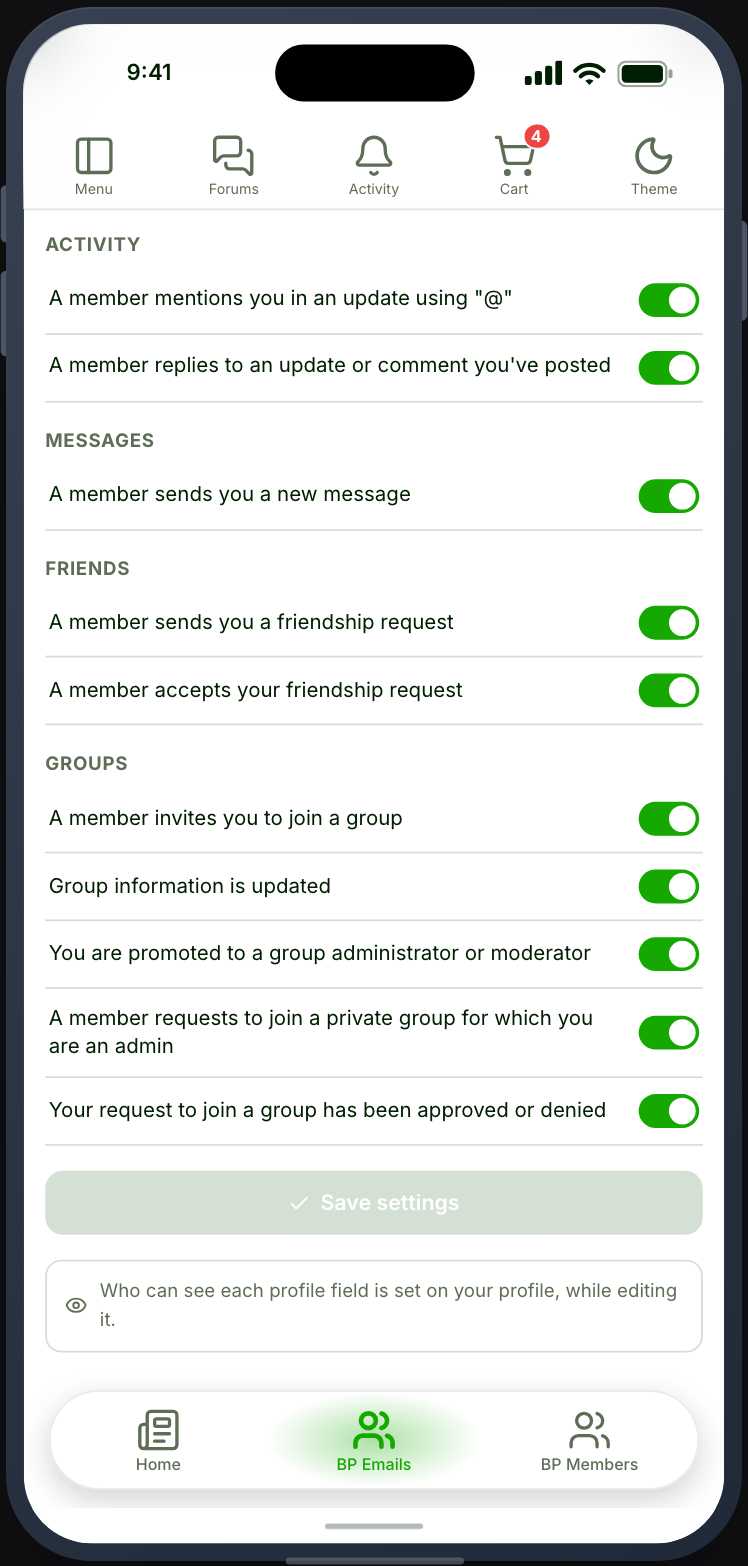
What is genuinely BuddyPress’s is which emails it sends, and that is what this screen owns: a switch per notification, grouped exactly as BuddyPress groups them — Activity, Messages, Friends, Groups, and anything else your components add.
On BuddyBoss the screen shows BuddyBoss’s own notification preferences, grouped and worded as on your website, including the Enable Notifications switch at the top. Turning that off greys out the switches below it, as BuddyBoss does. Where Web or App notifications are on, a row carries one switch per channel.
The list comes from your site. Nothing is hardcoded, so a notification added by any BuddyPress plugin appears here automatically, worded the way that plugin words it and translated the way your site is.
Profile field privacy
Section titled “Profile field privacy”Who can see each profile field is BuddyPress’s other member-facing setting, and it lives where a member actually thinks about it — on Profile (BuddyPress), while editing. This screen points there rather than repeating it.