

Custom Link
Opens a URL in a webview. The general-purpose escape hatch for anything the feature catalogue does not cover.
Before you start
Section titled “Before you start”| Plugin | None |
| Endpoint group | None |
| Plan | Every plan |
Add it to your app
Section titled “Add it to your app”- Drag Custom Link onto a navigation bar, usually the side drawer.
- Set the URL.
- Set a Title — this is the label members see.
Settings
Section titled “Settings”| Setting | What it does | Default |
|---|---|---|
| URL | The address to open | Empty |
| Title, Description | The tab label and heading | Empty |
| Restrictions | Which roles see the tab | Everyone |
What it is good for
Section titled “What it is good for”- A page on your site that needs your own scripts or styling to work — a form from another plugin, a booking widget, a dashboard.
- A plugin whose data has no native screen yet. See Supported plugins.
- An external resource: a knowledge base, a Discord invite, a survey.
Members stay signed in on your own site
Section titled “Members stay signed in on your own site”For URLs on the connected site, the webview carries the member’s session, so a members-only page shows them signed in.
That does not apply to external sites, which know nothing about your members.
Use it sparingly
Section titled “Use it sparingly”Every webview is a screen that is slower than the rest of your app, ignores your theme, and shows your website’s chrome inside an app that already has navigation.
A few are fine and expected. An app that is mostly webviews is one Apple rejects under guideline 4.2 as a website wrapper — see iOS builds.
Check the catalogue before reaching for this. A native screen usually already exists.
What your members see
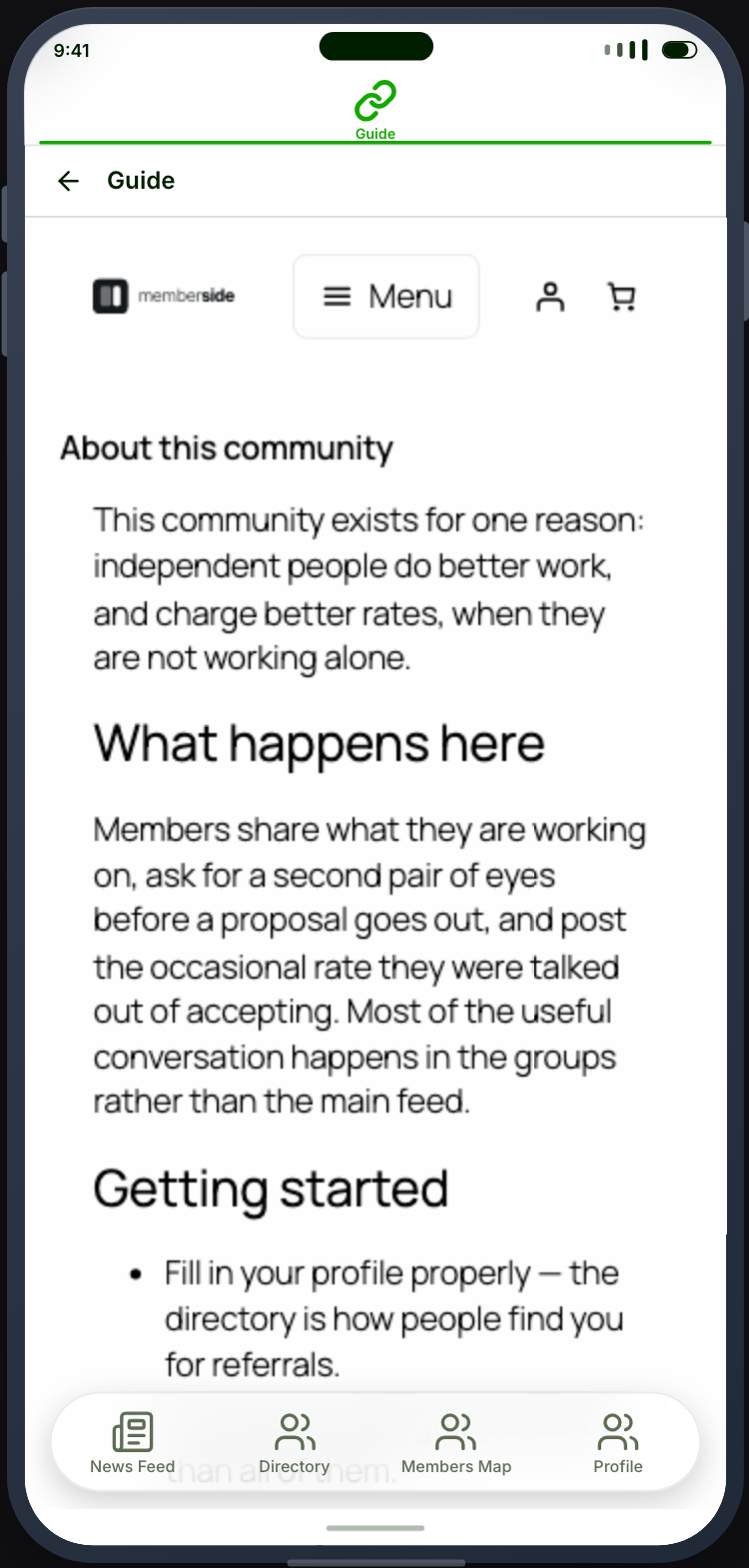
Section titled “What your members see”The page opens inside the app shell, with the top and bottom bars still there and the member still signed in. There is no screen of its own to see — what they get is whatever is at the URL you set.
When it does not work
Section titled “When it does not work”| Symptom | Cause | Fix |
|---|---|---|
| The tab is blank | The URL is empty, wrong, or the page refuses embedding | Open it in a browser first |
| It asks for sign-in | It points at an external site | Expected |
| A page refuses to load at all | Its X-Frame-Options blocks embedding | Nothing to fix in the app; that site forbids it |
| Content is cut off sideways | The page is not responsive | Fix it on the site |
| It ignores dark mode | Webviews follow the website | Use a native feature |