

Default Register
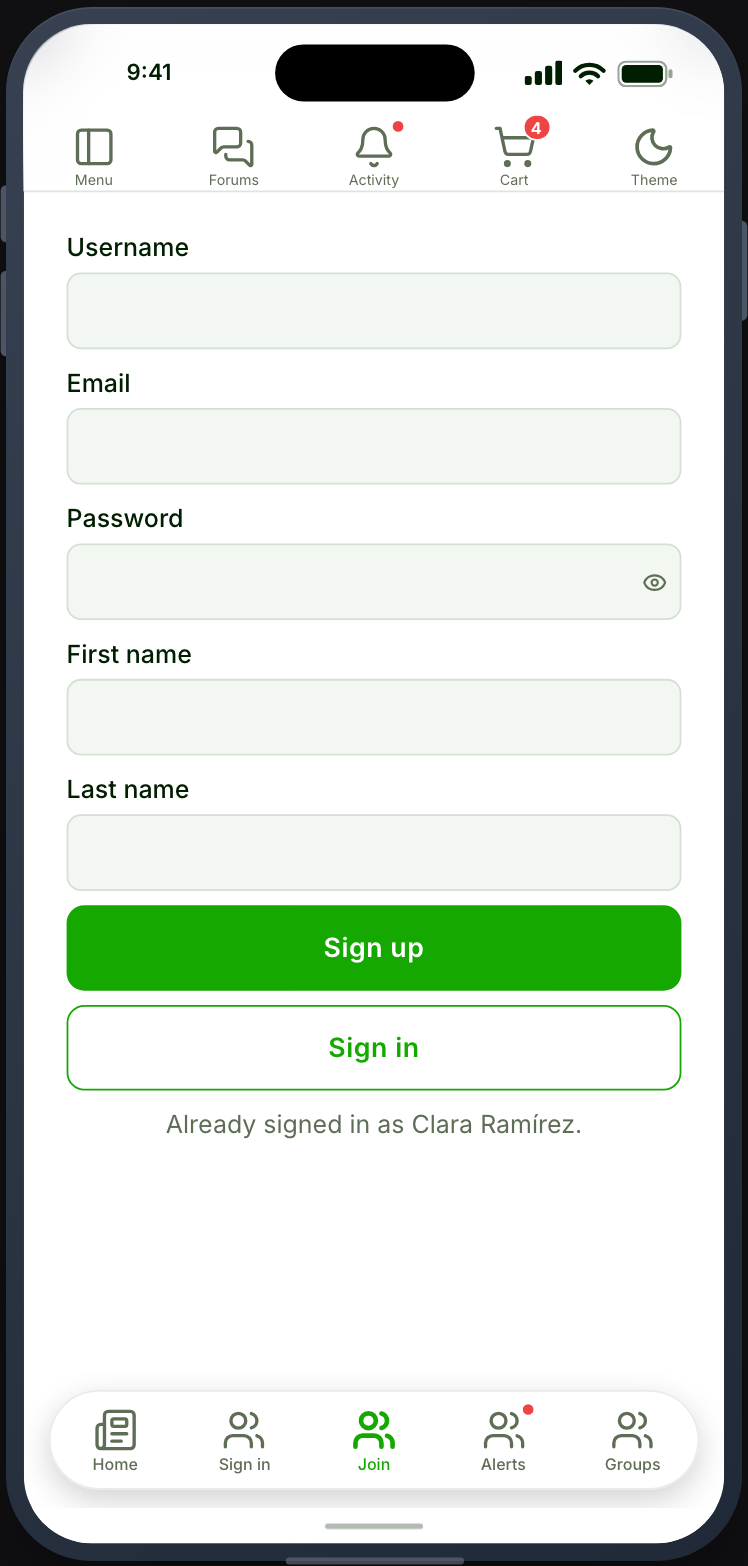
Registers members against WordPress itself, without an Ultimate Member form. The twin of Default Login.
Before you start
Section titled “Before you start”| Plugin | None. WordPress core |
| Endpoint group | Default Authentication, plus ACF if you use ACF fields |
| Plan | Every plan |
Add it to your app
Section titled “Add it to your app”- Drag Default Register onto a navigation bar or the side drawer.
- Choose which name fields to collect.
- Set after registration.
Settings
Section titled “Settings”| Setting | What it does | Default |
|---|---|---|
| Username field | Collect a username | On |
| First name, Last name | Collect names | Off |
| Confirm password | A second password field | Off |
| Password strength | Require a minimum strength | Off |
| Minimum score | The strength required, when enabled | — |
| ACF field group | An Advanced Custom Fields group to collect | None |
| Allowed roles | Which role new members receive | Your site’s default |
| Social providers | Which providers to offer | None |
| After registration | Where members land | Stay where they are |
| Appearance | Screen background, wrapper, buttons | Inherits app tokens |
Password strength
Section titled “Password strength”Turning it on with a minimum score stops members choosing something trivial. The strength meter renders as they type, so the requirement is visible before they submit rather than after.
ACF fields
Section titled “ACF fields”Where Advanced Custom Fields is active, a field group can be collected during registration. Enable the ACF endpoint group as well as Default Authentication.
Every ACF field type is supported, including the four that ACF PRO adds — Repeater, Flexible Content, Gallery and Clone. A repeater’s rows can be added, reordered and removed; a flexible-content row picks its layout; a gallery takes several photos in the order they were chosen. Show-and-hide conditions inside a repeater are evaluated per row, so a rule naming a neighbouring field answers about that row.
A field’s width is honoured too: fields set to half width in ACF sit two to a line.
Keep the group small. Registration is the point where people abandon, and a field you could ask for later should be asked for later — on the Profile screen. That applies doubly to a repeater or a gallery — a form that asks for an unbounded list at sign-up is a form people close.
What your members see
Section titled “What your members see”The fields you enabled, with per-field validation errors, and social provider buttons where configured.
Terms & Conditions
Section titled “Terms & Conditions”With the Terms & Conditions service switched on under Memberside → Services, the screen shows an agreement checkbox after your fields, and the member cannot register until they tick it. The social provider buttons stay greyed out until then. Ultimate Member’s own Terms & Conditions extension does not reach this screen; only the service does. See Terms & Conditions for the setup and its limits.
Registration must be open on your site
Section titled “Registration must be open on your site”WordPress’s Anyone can register setting still applies, under Settings → General. With it off, registration is refused however this feature is configured.
When it does not work
Section titled “When it does not work”| Symptom | Cause | Fix |
|---|---|---|
| Registration always refused | Anyone can register is off on your site | Turn it on |
| Wrong endpoint behaviour | Authentication is on instead of Default Authentication | Enable the right group |
| ACF fields missing | The ACF group is off, or the group is not selected | Enable it and choose the group |
| New members get the wrong role | The role is set here and on your site | Check both |
| Registers, then cannot sign in | Approval or confirmation is pending | Check the account in WordPress |
| No terms checkbox, with Terms & Conditions on | The installed app was built before the feature, or no page is chosen in the service | Rebuild, or choose a page |
| Social buttons are greyed out | Terms & Conditions is on and the box is not ticked | Expected. Ticking it enables them |