

Chat
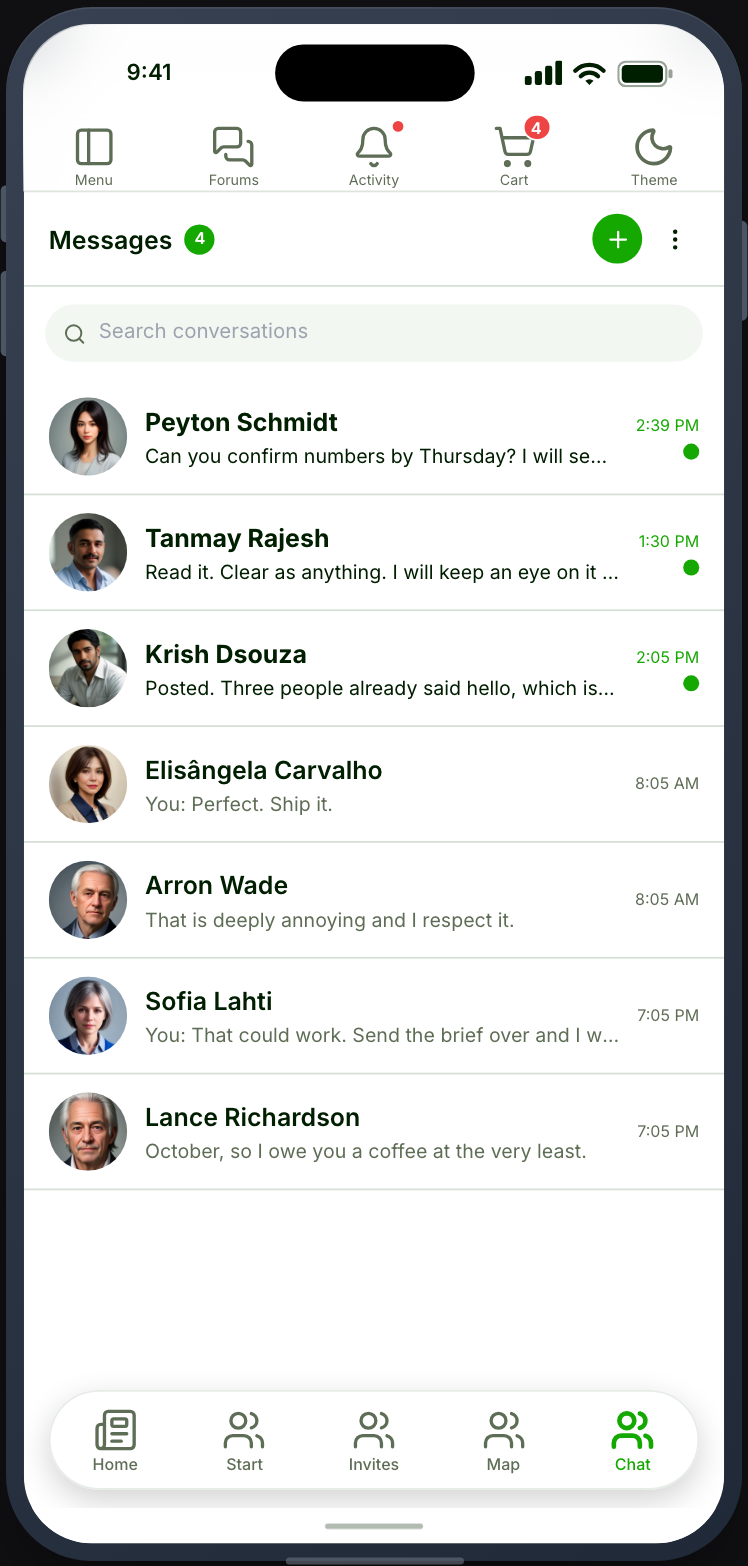
One-to-one private messages as a native inbox with threaded conversations.
Before you start
Section titled “Before you start”| Plugin | Ultimate Member - Private Messages |
| Endpoint group | Messaging |
| Plan | Every plan |
Add it to your app
Section titled “Add it to your app”- Drag Chat onto a navigation bar. It earns a bottom-nav slot in most communities.
- Set a Title.
Settings
Section titled “Settings”| Setting | What it does | Default |
|---|---|---|
| Title, Description | Shown at the top | Empty |
| Restrictions | Which roles see the tab | Everyone |
What your members see
Section titled “What your members see”An inbox of conversations, each showing the other member, the last message and an unread badge. Opening one shows the thread and a field to reply.
A message appears in the thread the moment the member sends it. If it cannot be delivered (the site refuses it, or the phone has no connection), it stays where it is, marked Failed to send in red with the site’s reason, and Resend and Delete underneath. Nothing the member typed is lost.
The nav item carries a total unread badge, so members see waiting messages without opening the tab.
Block is in a conversation’s ⋯ menu. It is User Blocking, the same block a member makes from a post or a profile, so it hides the two members from each other everywhere, not only in messages. Blocks made earlier in Ultimate Member - Private Messages carry over. Members review and undo their blocks on the Blocked Users screen, or under Settings › Blocked members.
Realtime
Section titled “Realtime”Without Realtime, messages arrive when the member refreshes. With it, a message sent while a thread is open appears immediately.
Chat is the screen where the difference is most obvious. A messaging feature that only updates on pull-to-refresh feels broken even when it is working correctly.
Which chat to choose
Section titled “Which chat to choose”| Chat | Chat (Better Messages) | Chat (BuddyPress) | |
|---|---|---|---|
| Plugin | UM - Private Messages | Better Messages | BuddyPress |
| One-to-one | Yes | Yes | Yes |
| Group conversations | No | Yes | Yes |
| Reactions | Yes | Yes | No |
| Blocking | Yes | Yes | No |
| Starring | No | No | Yes |
Choose Better Messages if you want group conversations with moderation. Choose BuddyPress if the site is already a BuddyPress community and you would rather not add another plugin. Choose this if your site already runs Ultimate Member’s messaging and one-to-one is enough.
When it does not work
Section titled “When it does not work”| Symptom | Cause | Fix |
|---|---|---|
| The inbox is empty | The Messaging group is off | Enable it |
| The second chat feature will not drop | One backend per app | Remove the first |
| No unread badge | The group is partly enabled | Enable the whole group |
| Messages only arrive on refresh | Realtime is not connected | Realtime |
| No Private Messages settings tab | It hides when no Chat tab is placed | Place Chat |
| Members cannot message each other | Your site’s messaging permissions | Check them in Ultimate Member |
| A message shows Failed to send | The site refused it, or the phone was offline | Read the reason under it, then tap Resend |