

Settings
The account area. Password changes, notification preferences, privacy, data export and account deletion, plus whatever tabs your plugins contribute.
Before you start
Section titled “Before you start”| Plugin | Ultimate Member |
| Endpoint groups | Account, Appearance, Users, Account Deletion for the Delete tab, plus a group per extension tab |
| Plan | Every plan |
Extension tabs need their own groups — Photos for My Photos, Payment Methods for saved cards, Social Login for connected accounts. See the endpoint matrix.
The Delete tab
Section titled “The Delete tab”The Delete tab does not delete the account on the spot. It deactivates it and schedules the real deletion for a week to a month later, which the member can cancel by signing in — the same flow as the Delete Account feature, which is where the grace period is configured. Place that feature if you want deletion on a screen of its own.
Add it to your app
Section titled “Add it to your app”- Drag Settings onto a navigation bar. The side drawer is the usual home.
- Set a Title.
- If your site contributes many tabs, turn on Render account tabs as a dropdown.
Settings
Section titled “Settings”| Setting | What it does | Default |
|---|---|---|
| Show each account tab’s icon | Icons beside tab names, or text only | On |
| Render account tabs as a dropdown | A dropdown instead of a tab strip | Off |
| Title, Description | Shown at the top | Empty |
| Restrictions | Which roles see the tab | Everyone |
What your members see
Section titled “What your members see”Tabs read from your site rather than a fixed list. Eight core tabs always render natively: General, Account, Password, Privacy, Email Notification, In-app Notification, Personal Data and Delete.
Extension tabs from User Photos, myCred, WooCommerce, Mailchimp, Social Login, Terms & Conditions and JobBoardWP’s Jobs Dashboard get native screens too. Anything else with a URL opens as a webview card.
Account settings tabs lists all of them.
A Blocked members row opens the list of members this member has blocked, with Unblock beside each. It comes from User Blocking and can be turned off there.
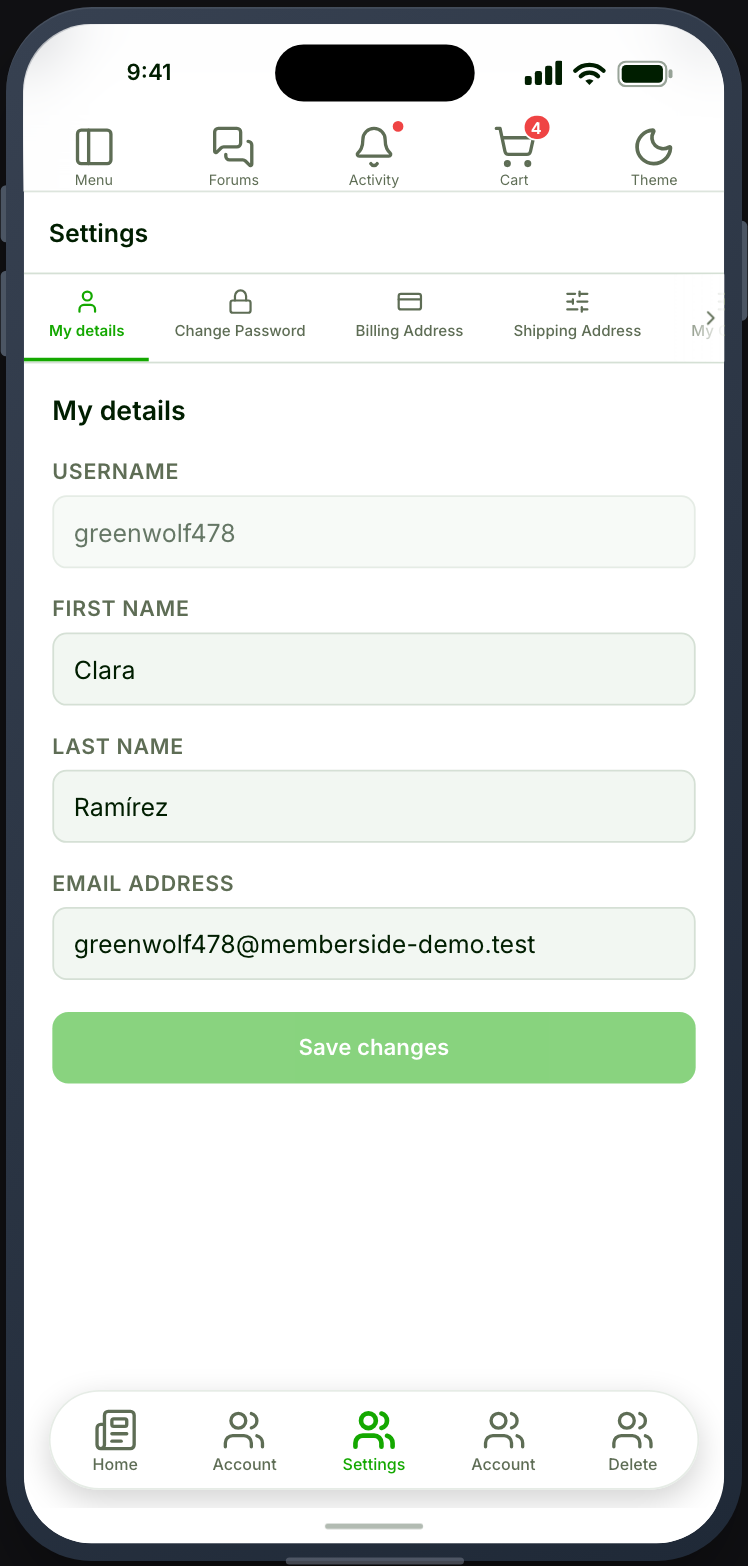
Account deletion matters for the stores
Section titled “Account deletion matters for the stores”Personal Data and Delete are how members export or erase their account. Both Apple and Google require an in-app deletion path for apps that create accounts, so place Settings somewhere reachable rather than burying it.
When it does not work
Section titled “When it does not work”| Symptom | Cause | Fix |
|---|---|---|
| No tabs at all | The Appearance group is off | Enable it |
| A tab is missing | Its plugin is inactive, or it is hidden on your site | Check both |
| A tab opens as a webview | Only listed plugins get native tabs | Expected |
| The tab strip runs off screen | Too many tabs for a phone | Turn on the dropdown |
| Private Messages is missing | It hides itself when there is no Chat tab | Expected |