

Social Connects
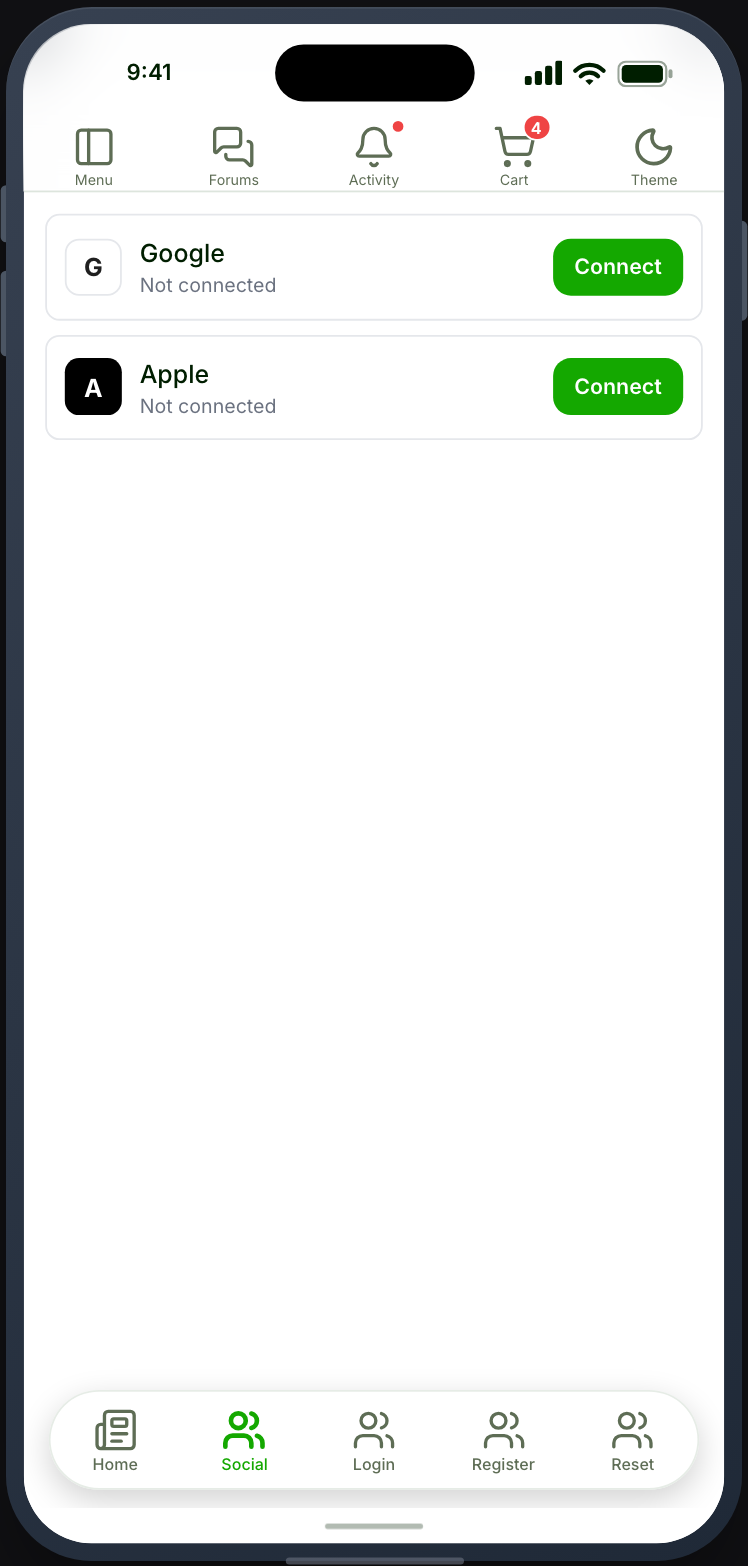
Shows which social providers a member has linked, and lets them connect or disconnect each one.
Before you start
Section titled “Before you start”| Plugin | None for the screen itself. Providers are configured on your site |
| Endpoint group | Social Login |
| Plan | Every plan |
Add it to your app
Section titled “Add it to your app”Place it in the side drawer, near account settings. It is also available as an account tab where Ultimate Member - Social Login is active — see Account settings tabs.
Settings
Section titled “Settings”| Setting | What it does | Default |
|---|---|---|
| Title, Description | Shown at the top | Empty |
| Restrictions | Which roles see the tab | Everyone |
Which providers appear comes from your site’s configuration rather than from this screen. Unlike the sign-in features, this one has no provider picker on purpose — see Choosing providers.
What your members see
Section titled “What your members see”Each configured provider, with its current state. Connecting starts the provider’s sign-in; disconnecting unlinks the account.
Which providers exist, and what each one needs, is on Social sign-in.
Members can lock themselves out
Section titled “Members can lock themselves out”A member who signed up through a provider, never set a password, and then disconnects that provider has no way back in.
If you offer this screen, make sure members can set a password — the Password tab in Settings — and place that somewhere reachable.
Email verification
Section titled “Email verification”A provider that does not return a verified email cannot be linked to an existing account by email match. Otherwise anyone able to claim an unverified address at that provider could take over the account.
Members whose provider gives an unverified email can still connect, after signing in by another means.
Terms & Conditions
Section titled “Terms & Conditions”Connecting a provider here never asks the member to agree to your terms. They already have an account.
The sign-in buttons are different. With the Terms & Conditions service on, the social buttons on Register and Default Register stay greyed out until the member ticks the agreement, with Agree to the terms above to continue. under them. The buttons on Login and Default Login are not changed, so someone brand new who signs up through one of those gets an account with no agreement recorded. See Terms & Conditions.
When it does not work
Section titled “When it does not work”| Symptom | Cause | Fix |
|---|---|---|
| No providers listed | The Social Login group is off | Enable it |
| A provider is missing | It is not configured on your site | Configure it there |
| Connecting answers “Sign in before linking an account” for a signed-in member | Your site runs Memberside older than 2.38.0 | Update Memberside |
| Connecting fails on the phone but works in preview | The signing SHA-1 is not registered | Android signing |
| Connecting does not link to the existing account | The provider returned an unverified email | Have them sign in first, then connect |
| A member cannot sign in after disconnecting | They never had a password | Reset it from your website |