

Create Note
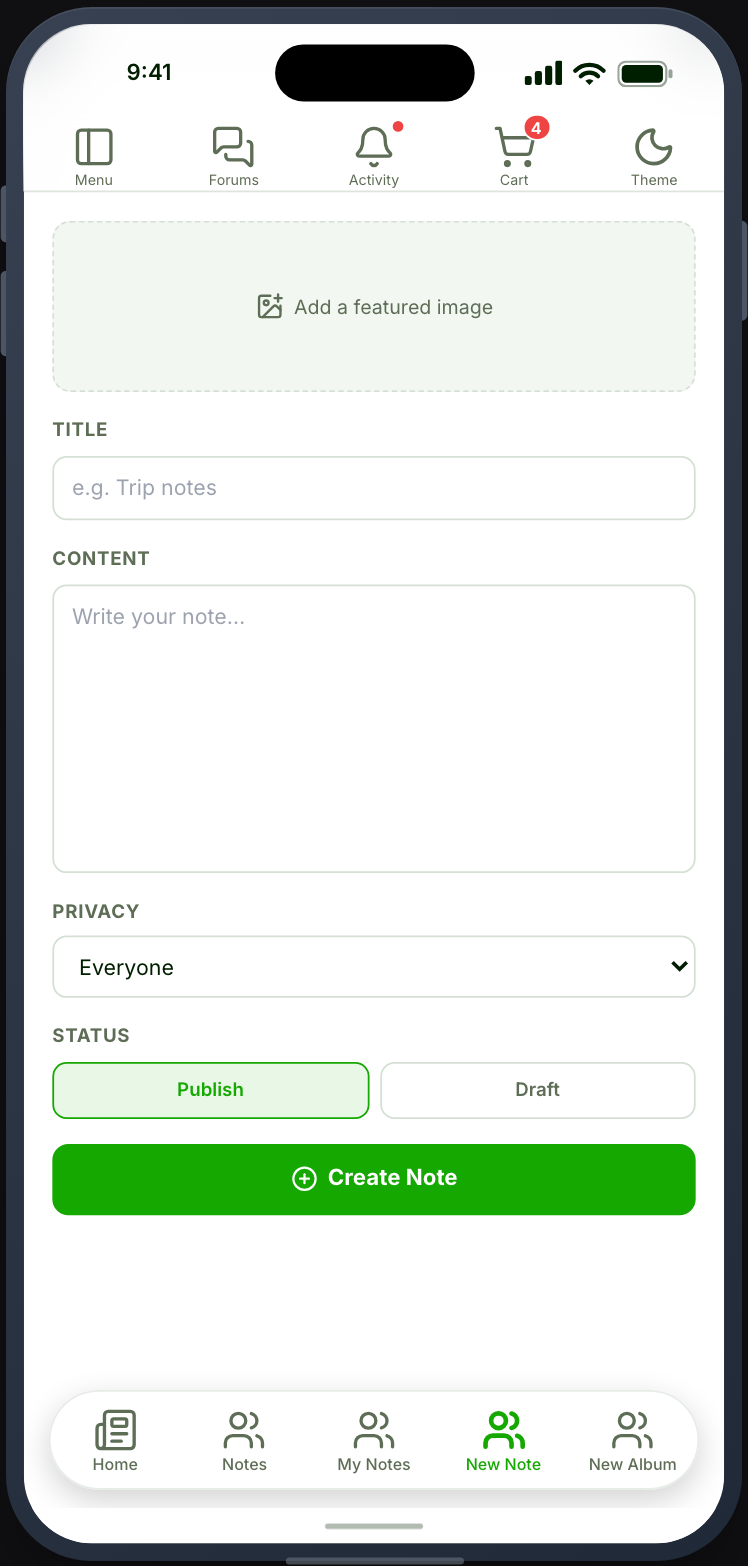
A form for writing a note.
Before you start
Section titled “Before you start”| Plugin | Ultimate Member - User Notes |
| Endpoint group | Notes |
| Plan | Every plan |
Add it to your app
Section titled “Add it to your app”Place it beside My Notes, or leave it out.
My Notes already carries a New Note button, so a separate tab is only worth a navigation slot if writing notes is something your members do constantly.
Settings
Section titled “Settings”| Setting | What it does | Default |
|---|---|---|
| Title, Description | Shown at the top | Empty |
| Restrictions | Which roles can write notes | Everyone |
What your members see
Section titled “What your members see”Fields for the note’s content and its privacy. Saving returns them to their notes.
Which privacy options exist comes from your Ultimate Member User Notes configuration.
Set the privacy default deliberately
Section titled “Set the privacy default deliberately”The privacy a new note gets by default matters more than it looks. Members write quickly and do not read the privacy control, so whatever your site defaults to is what most notes will be.
If notes are personal, default to private. If they are a community feature, default to shared. Configure it in Ultimate Member.
When it does not work
Section titled “When it does not work”| Symptom | Cause | Fix |
|---|---|---|
| Saving is refused | The Notes group is off | Enable it |
| The card is greyed out | UM - User Notes is inactive | Activate it |
| No privacy options | Your configuration offers none | Set them in Ultimate Member |
| Saved, but not in My Notes | The list has not refreshed | Pull to refresh |
| Notes are more visible than expected | The privacy default | Change it in Ultimate Member |