

Default Login
Signs members in against WordPress itself, with no Ultimate Member form driving the fields.
Use it when your site does not run Ultimate Member, or when you want a plain sign-in rather than your community form.
Before you start
Section titled “Before you start”| Plugin | None. WordPress core |
| Endpoint group | Default Authentication |
| Plan | Every plan |
Not the Authentication group. That one is Ultimate Member’s, and enabling it for this feature fails exactly like a wrong password. This is the single most common mistake with this screen.
Add it to your app
Section titled “Add it to your app”- Drag Default Login onto a navigation bar or the side drawer.
- Set after login.
- Under Features, configure social providers and Turnstile if you want them.
Settings
Section titled “Settings”| Setting | What it does | Default |
|---|---|---|
| Show remember me | A “remember me” checkbox | On |
| Show register button | A link through to registration | On |
| Allowed roles | Which WordPress roles may sign in | All |
| Social providers | Which providers to offer | None |
| After login | Where members land | Stay where they are |
| Turnstile | A Cloudflare bot challenge above the button | Off |
| Appearance | Screen background, form wrapper, button styling | Inherits app tokens |
Allowed roles
Section titled “Allowed roles”An allow-list. A member whose role is not listed is refused with correct credentials.
Useful for an app meant only for paying members. Also an easy way to lock yourself out of testing, so check it before assuming a password is wrong.
The list is sent to your site when you save, and your site applies it whatever the app asks for. This is what makes it a real restriction rather than a setting inside the app: previously the list travelled with each sign-in attempt, so removing it from the request admitted every role. Now your site’s copy decides, and it decides for social sign-in too, not only for the username and password form.
Three things follow from your site holding one list per app.
If your app has more than one Default Login screen, they share the roles of all of them. If any one of those screens allows every role, the whole app does — the safe direction when screens disagree is the one that cannot refuse a member you admit today.
And if you have several apps on one site, the roles are held to the most permissive of them. So an app that admits everyone sitting beside an app restricted to paying members means neither is restricted. Keep them on separate sites if that matters.
Your site needs the Memberside plugin version 2.18.0 or later. On an older one the list still works exactly as it did before.
Turnstile
Section titled “Turnstile”Switch it on under Features in the feature’s tab settings. It is available on every sign-in screen, not just this one — see Sign-in and registration.
Both halves of the key pair live on your site, under Memberside → API Keys. We store neither:
- The site key is read from your site each time you build, and compiled into that build.
- The secret key stays on your site and verifies the challenge. It never ships.
Two consequences worth knowing:
- Adding the site key needs a rebuild. A build already on a phone carries the key that existed when it was made.
- Builds read it through the Site → capabilities endpoint. Placing a sign-in feature switches that group on for you, but if it is off the build fails rather than shipping an app that shows no challenge — because your site would still demand one, and nobody could sign in.
- Saving the app tells your site. With Memberside 2.38.0 or later, your site asks this app for the challenge only when this switch is on. Apps built before that, and forms you have not placed, follow Require the challenge under Memberside → API Keys → Cloudflare Turnstile — see Your site follows each app’s switch.
With only the secret set, the challenge cannot render and the build stops. With only the site key set, the challenge renders and verification always fails.
What your members see
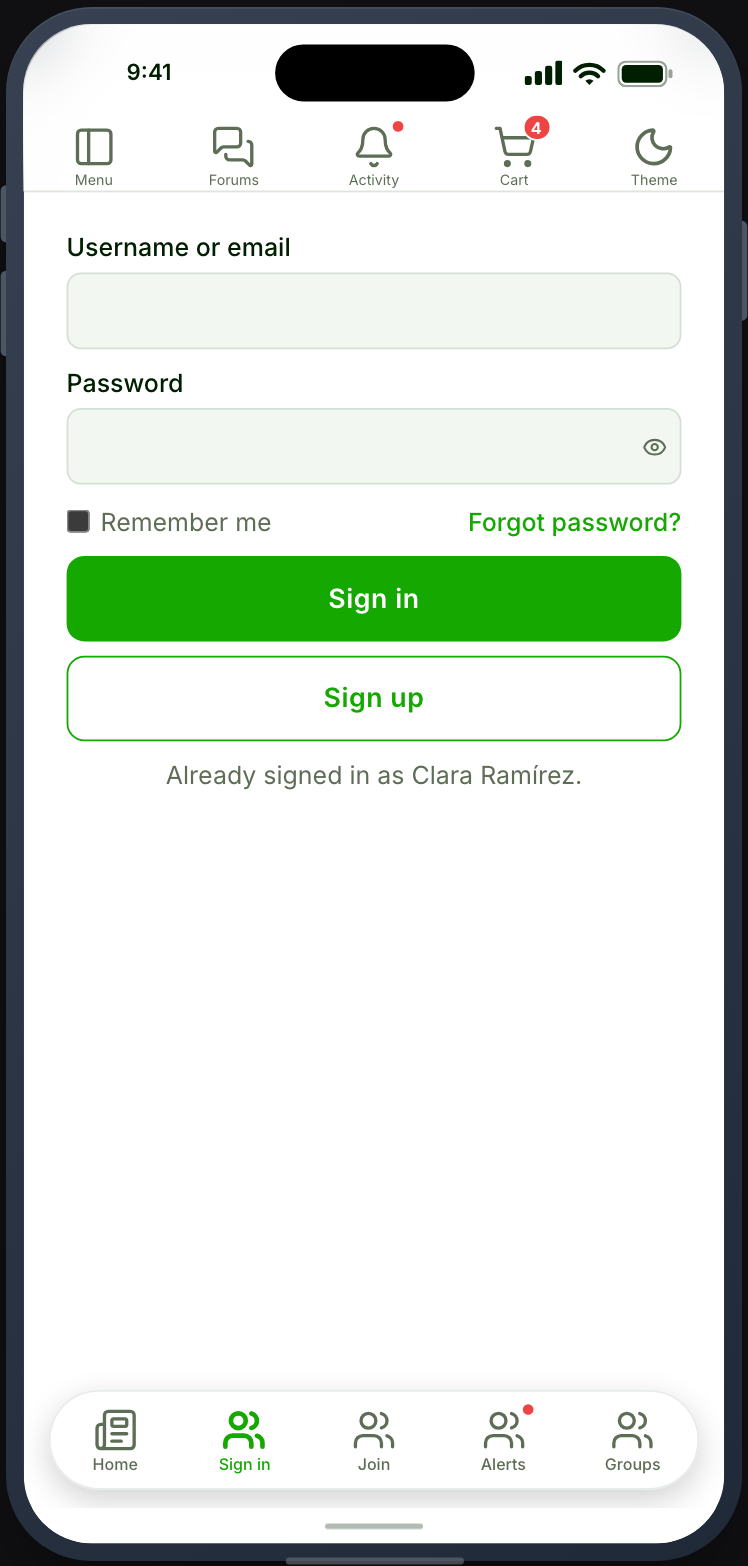
Section titled “What your members see”Username and password fields with your app’s own field and button styling, plus whatever provider buttons and challenge you configured.
Validation errors are per-field rather than one message at the top.
When it does not work
Section titled “When it does not work”| Symptom | Cause | Fix |
|---|---|---|
| Correct credentials refused | Authentication is on instead of Default Authentication | Enable the right group |
| One member refused, others fine | Their role is not in the allow-list | Add it, or clear the list |
| Turnstile always fails | Only the site key is set | Set the secret key on your site |
| Refused for a challenge with Turnstile off on the feature | The change has not reached your site, or the installed app predates Memberside 2.38.0 | Save the app, update Memberside, and rebuild |
| Build fails: the site key cannot be read | The capabilities endpoint is off | Enable the Site group under Memberside → REST API |
| Social sign-in works in preview, fails on the phone | The signing SHA-1 is not registered | Android signing |
| Signs in, screens still look signed out | The Users group is off | Enable it |