

Friends
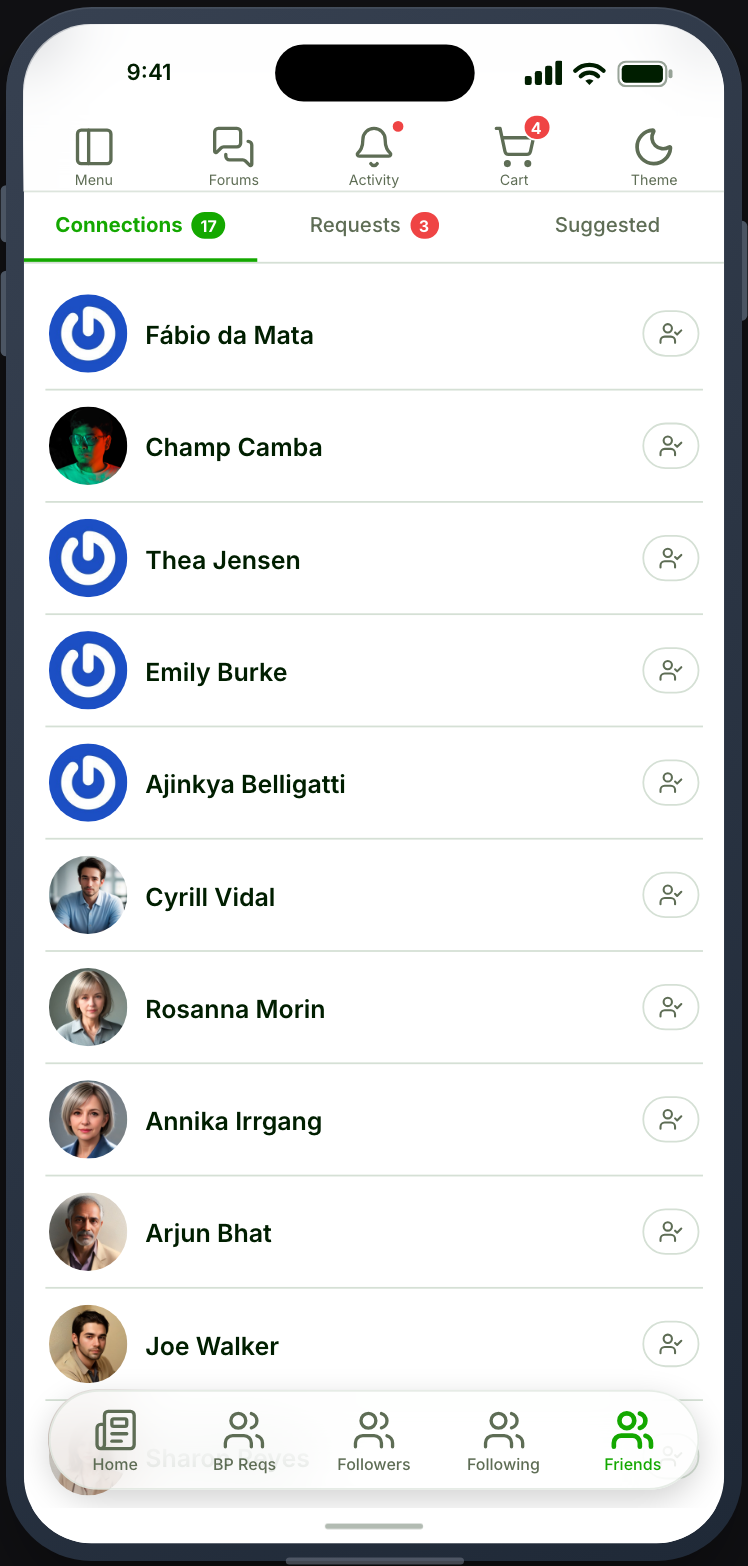
A list of the member’s confirmed friends.
Before you start
Section titled “Before you start”| Plugin | Ultimate Member - Friends |
| Endpoint group | Friends |
| Plan | Every plan |
Add it to your app
Section titled “Add it to your app”Drag Friends onto a navigation bar or into the side drawer.
Consider Connections alongside it, which handles pending requests. Friends without Connections gives members a list with no way to accept anyone new.
Settings
Section titled “Settings”| Setting | What it does | Default |
|---|---|---|
| Title, Description | Shown at the top | Empty |
| Restrictions | Which roles see the tab | Everyone |
What your members see
Section titled “What your members see”Their friends, styled by User Lists in Appearance. Tapping one opens their profile.
Friends also appear as a tab on the Profile screen, so this feature is a shortcut rather than the only route.
Friends or Followers
Section titled “Friends or Followers”Two different models from two different plugins, and a community should pick one.
| Friends | Followers | |
|---|---|---|
| Plugin | UM - Friends | UM - Followers |
| Relationship | Mutual, needs accepting | One-way, immediate |
| Requests | Yes | No |
Friends suits a community where connections are personal. Followers suits one where some members are broadcasters.
Running both is possible and usually confusing.
When it does not work
Section titled “When it does not work”| Symptom | Cause | Fix |
|---|---|---|
| The list is empty | They have no friends yet | Expected |
| Empty for everyone | The Friends group is off | Enable it |
| The card is greyed out | UM - Friends is inactive | Activate it |
| Requests cannot be accepted | No Connections feature is placed | Place one |
| Tapping a member does nothing | No Profile feature is placed | Place one |